Give Feedback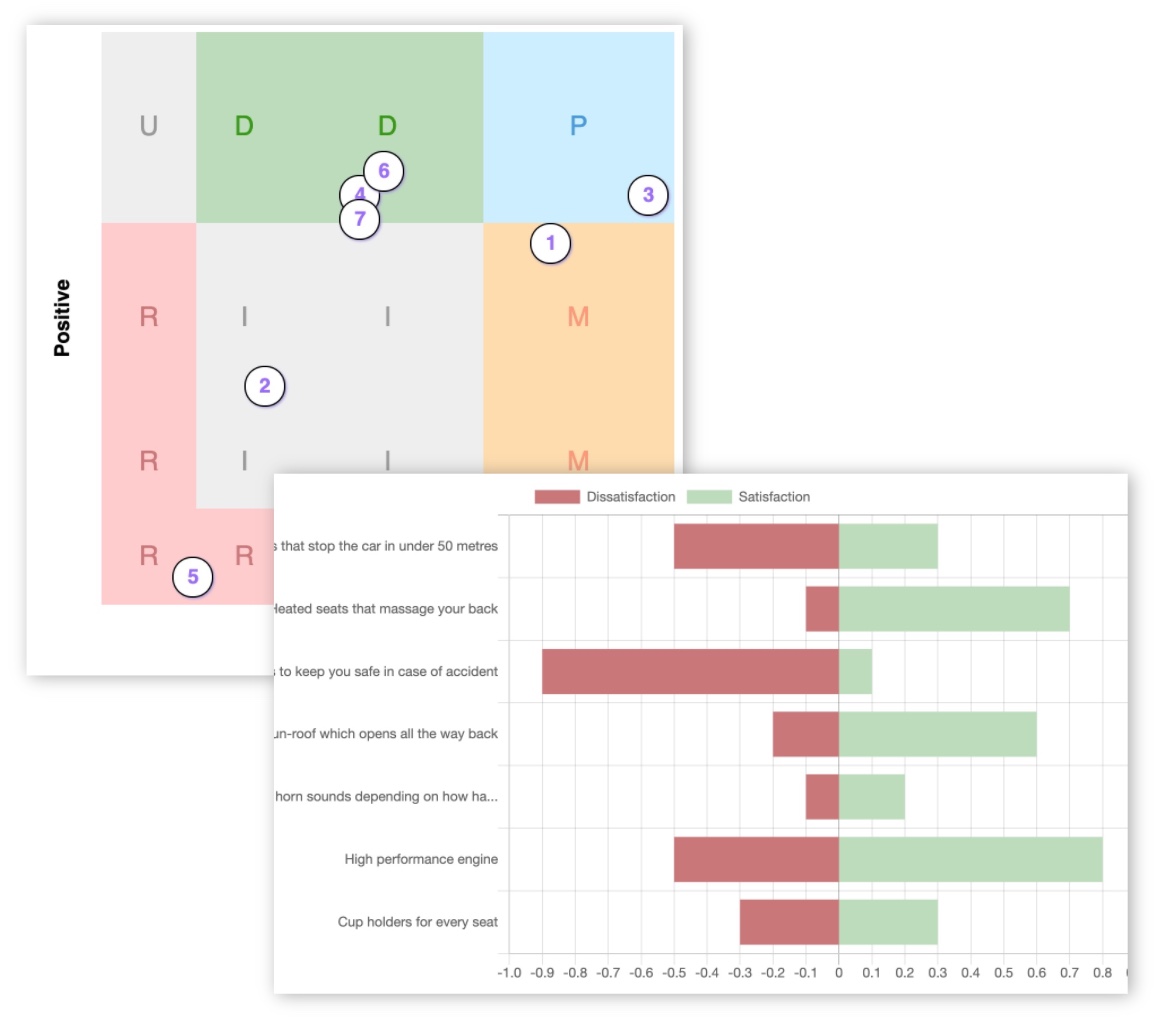
KanoSurveys vs SurveyMonkey: Which Is Better for Running Kano Model Surveys?


A detailed comparison for product managers, UX researchers, founders, and teams choosing between a dedicated Kano tool and a general survey platform.
Kano Model surveys are not like ordinary feedback forms. Each feature needs a functional question (how do you feel if this feature exists?) and a dysfunctional question (how do you feel if it is missing?). Responses must then be mapped to Kano categories, the distribution interpreted, and the results connected to roadmap decisions.
Generic survey tools can collect the raw data, but they leave the specialist Kano work entirely to you. Dedicated tools remove that burden. This article compares KanoSurveys and SurveyMonkey across every dimension that matters so you can pick the right tool for your situation.
Short answer: choose KanoSurveys for dedicated Kano survey creation, automatic analysis, and feature prioritisation. Choose SurveyMonkey if you need a broad survey platform for many use cases, stronger team workflows, enterprise controls, or access to external respondents.
Quick comparison
| KanoSurveys | SurveyMonkey | |
|---|---|---|
| Tool type | Dedicated Kano Model platform | General-purpose survey platform |
| Best for | Running Kano surveys end to end | General surveys, enterprise, audience sourcing |
| Kano-specific survey builder | ✓ Built in | ✗ Manual setup required |
| Automatic Kano analysis | ✓ Real-time | ✗ Not native |
| Feature prioritisation | ✓ Built in | ✗ Must be done manually |
| Team collaboration | ✗ Individual accounts only | ✓ Full team and enterprise plans |
| Respondent sourcing | ✗ Bring your own audience | ✓ SurveyMonkey Audience |
| Integrations | CSV export | 200+ integrations |
| Paid plan from | £7 / month | ~A$32 / month (billed annually) |
| Free tier | 5 responses | 25 viewable responses, 10 questions |
What is KanoSurveys?
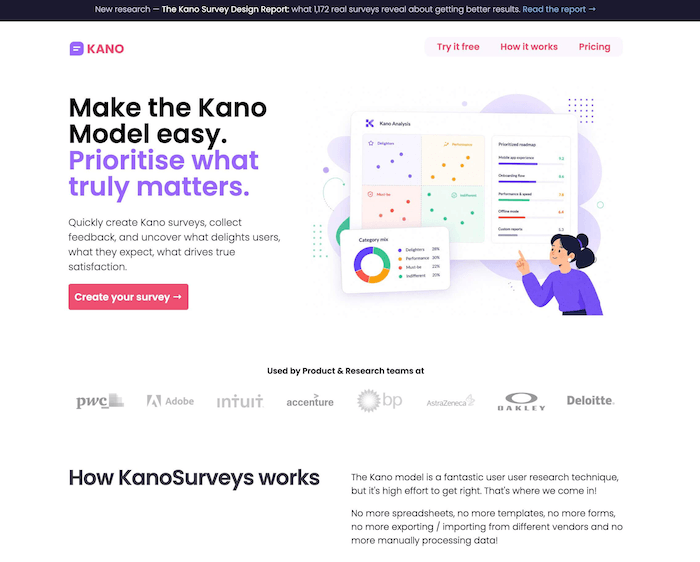
KanoSurveys is a dedicated online platform for creating, running, and analysing Kano Model surveys. It is designed to remove the need for spreadsheets, manual question pairing, data exports, and formula-based categorisation. The workflow is: describe features, share a survey link, view real-time analysis.
- Kano-specific survey builder with paired questions built in
- Hosted, shareable survey link
- Automatic real-time Kano categorisation
- Advanced analysis: satisfaction & dissatisfaction coefficients
- Feature prioritisation output
- Custom segmentation using response fields
- Feature images, custom branding, multi-language support
- Step-by-step survey mode to reduce respondent fatigue
- Feature randomisation for bias reduction
- Import existing responses from spreadsheets
- CSV export (paid plan)
- Product managers running roadmap research
- UX researchers conducting feature validation
- Startup founders testing product ideas
- SaaS teams prioritising their backlog
- Consultants running Kano studies for clients
- Academics studying the Kano method
What is SurveyMonkey?
SurveyMonkey is a large general-purpose survey and forms platform used for customer feedback, employee engagement, market research, NPS, event feedback, and much more. It supports many question types, AI-assisted survey building, advanced logic, team collaboration, 200+ integrations, and enterprise-grade governance. SurveyMonkey is not specifically designed for Kano research.
- General survey and form builder
- AI-assisted survey creation
- Large template library
- Skip logic and advanced branching (paid)
- Email invitations and web embeds
- Statistical significance and crosstabs
- AI analysis and thematic analysis (higher plans)
- White-label branding (Premier)
- Block randomisation and multilingual surveys (Premier)
- 200+ integrations
- Team roles, permissions, and shared asset library
- Enterprise SSO, governance, and customer success
- Multi-department survey operations
- Enterprise research teams
- Market research needing external respondents
- Teams already using SurveyMonkey across the business
- Studies requiring advanced logic and integrations
- Organisations with procurement and governance needs
Feature comparison
| Feature | KanoSurveys | SurveyMonkey |
|---|---|---|
| Kano-specific survey builder | ✓ | ✗ manual |
| Paired functional / dysfunctional questions | ✓ automatic | ✗ manual |
| Real-time Kano categorisation | ✓ | ✗ |
| Advanced Kano analysis (satisfaction scores) | ✓ paid | ✗ |
| Feature prioritisation | ✓ paid | ✗ |
| Custom segmentation | ✓ | ✓ paid |
| Import existing Kano response data | ✓ | ✗ |
| Feature images | ✓ | ✓ |
| Custom branding | ✓ | ✓ paid |
| Multi-language support | ✓ | ✓ Premier |
| Survey logic / branching | ✗ | ✓ paid |
| Question randomisation | ✓ | ✓ Premier |
| CSV / data export | ✓ paid | ✓ paid |
| Email invitations | ✗ | ✓ paid |
| Integrations | CSV only | ✓ 200+ |
| Team collaboration | ✗ | ✓ Team plans |
| Enterprise / SSO | ✗ | ✓ |
| Respondent panel | ✗ | ✓ Audience add-on |
| Statistical significance | ✗ | ✓ paid |
| AI analysis | ✗ | ✓ higher plans |
Kano workflow: how each tool handles it
KanoSurveys
- Kano question structure is handled for you
- No need to know the exact paired-question format
- Responses are categorised automatically as they arrive
- Analysis updates in real time — no export needed
- Prioritisation is a built-in step, not an afterthought
- Designed for non-specialist product teams
SurveyMonkey
- You must manually create paired question sets per feature
- You need to know the Kano format well enough to avoid errors
- Responses arrive as raw data — no automatic Kano mapping
- Categorisation requires a spreadsheet formula or external tool
- Prioritisation must be done separately after export
- Each study effectively rebuilds the Kano workflow from scratch
💡 The key difference: KanoSurveys understands the Kano method natively. SurveyMonkey is an excellent data collection tool, but it does not know what a Kano survey is. Everything Kano-specific must be constructed, processed, and interpreted outside of it.
Analysis and prioritisation
This is the area where the gap is widest. Kano analysis goes well beyond counting category votes. Useful insights come from satisfaction and dissatisfaction coefficients, segmented breakdowns, and understanding which features drive delight versus which ones just prevent complaints.
| Analysis capability | KanoSurveys | SurveyMonkey |
|---|---|---|
| Automatic Kano category assignment | ✓ | ✗ |
| Category distribution per feature | ✓ | ✗ |
| Satisfaction & dissatisfaction coefficients | ✓ paid | ✗ |
| Feature prioritisation chart | ✓ paid | ✗ |
| Segmentation by respondent attribute | ✓ | ✓ paid |
| General charts and filters | ✓ | ✓ |
| Crosstabs | ✗ | ✓ Premier |
| Statistical significance | ✗ | ✓ paid |
| AI thematic analysis | ✗ | ✓ higher plans |
| Multi-survey analysis | ✗ | ✓ paid |
Respondent sourcing
KanoSurveys works best when you already have access to your own users: customers, beta testers, mailing lists, in-product links, or community members. The platform provides the survey and analysis workflow; sourcing respondents is your job.
SurveyMonkey has a significant advantage here. SurveyMonkey Audience lets you buy access to survey respondents by country, age, gender, income, employment status, and other demographic filters. That makes it a better choice if you are running market research rather than user research, or if you do not yet have a customer base to survey.
Team and enterprise features
KanoSurveys currently operates on a single-account model. One paid subscription covers all surveys in that account, which works well for individual PMs, consultants, academics, and small focused teams. Shared team workspaces are not currently available.
SurveyMonkey has mature team and enterprise functionality: shared asset libraries, user roles and permissions, password-protected dashboards, consolidated billing, SSO, data-centre options, and a dedicated customer success team at enterprise tier. It is better suited to organisations with procurement requirements, multi-department survey operations, or governance and security needs.
Pricing comparison
| Plan | Price | Key limits / inclusions |
|---|---|---|
| KanoSurveys | ||
| Free | £0 | 5 responses, simple categorisation only |
| Professional | £7 / month | Unlimited responses, advanced analysis, prioritisation, export, priority support, commercial use — covers all surveys on the account |
| SurveyMonkey | ||
| Basic | Free | 10 questions / survey, 25 viewable responses, link sharing, limited question types |
| Standard Monthly | ~A$99 / month | 1 user, 1,000 responses / month, skip logic, custom design, email invitations, exports |
| Advantage Annual | ~A$32 / month (billed annually) | 1 user, 15,000 responses / year, premium themes, statistical significance, AI analysis |
| Premier Annual | ~A$119 / month (billed annually) | 1 user, 40,000 responses / year, white-label, redirects, multilingual, crosstabs, advanced logic |
| Team Advantage | ~A$23 / user / month | Min. 3 users, 50,000 responses / year, collaboration, permissions |
| Enterprise | Custom | 5+ users, custom limits, SSO, governance, customer success |
💵 Pricing takeaway: KanoSurveys costs £7/month for the full Kano feature set. To get equivalent survey analysis capability in SurveyMonkey you need at minimum the Advantage plan, plus manual Kano analysis on top. If running Kano surveys is your primary goal, KanoSurveys is the significantly cheaper option.
Head-to-head verdict by category
| Category | Winner |
|---|---|
| 🔬 Kano survey setup | KanoSurveys |
| 📈 Built-in Kano analysis | KanoSurveys |
| 🎯 Feature prioritisation | KanoSurveys |
| 💰 Value for Kano-specific work | KanoSurveys |
| 👥 Best for product managers | KanoSurveys |
| 📄 General-purpose survey builder | SurveyMonkey |
| 👥 Team collaboration | SurveyMonkey |
| 🌍 Enterprise & governance | SurveyMonkey |
| 🔌 Integrations | SurveyMonkey |
| 👤 Respondent sourcing | SurveyMonkey |
| 📊 Advanced statistical analysis | SurveyMonkey |
Who should choose which?
- Your main goal is to run a Kano Model survey
- You want the question format handled automatically
- You want real-time analysis without exporting to a spreadsheet
- You want prioritisation, not just raw survey data
- You already have users, customers, or beta testers to survey
- You want a lightweight, focused tool at a low monthly cost
- You are a PM, founder, consultant, or UX researcher
- You run Kano studies repeatedly and want a repeatable workflow
- You need one platform for many different survey types
- Your company already uses SurveyMonkey company-wide
- You need advanced logic, conditional branching, or integrations
- You need team collaboration, roles, and shared assets
- You need enterprise controls, SSO, or data governance
- You need to source respondents via SurveyMonkey Audience
- You already have an internal Kano spreadsheet or analyst
- Kano is only a small part of a broader survey programme
Final recommendation
SurveyMonkey is a strong, mature survey platform, but it is not the most efficient option for Kano Model surveys. It collects data well; it does not interpret Kano data at all. Every part of the Kano-specific workflow — question structure, categorisation, analysis, and prioritisation — must be built and maintained outside the tool.
KanoSurveys is purpose-built for exactly this job. For most product teams and researchers who need to answer “which features should we build?”, it removes the manual work, reduces the risk of errors, and gets you to actionable results faster.
If you are running a Kano survey, start with KanoSurveys. If you need a broader survey platform that covers many different research jobs across a team or organisation, SurveyMonkey is worth the investment.
Ready to run a Kano survey without the spreadsheets?
Create a free KanoSurveys account · Compare all Kano tools · Learn about the Kano Model